Private Instagram Downloader

Download private Instagram videos and photos on PC, iPhone, or Android for free


The Best Private Instagram Downloader Online

Download private Instagram videos, photos, Reels, and Stories quickly without any software installation. This professional tool helps you bypass privacy barriers, age limits, or country restrictions by using the page source code. SaveIG provides a powerful solution to capture high-quality content from private accounts you follow. Simply follow our instructions to extract and save your favorite media safely. Experience the fastest, completely free, and secure private downloading service that works perfectly on all browsers and devices including PC, iPhone, and Android today.

How to download private Instagram videos and photos?

If standard tools fail to fetch content, it is likely because the post is restricted or from a private account. To bypass these limitations, you need a specialized solution like SaveIG. Follow the detailed steps below to download any private Instagram content securely.

Step 1: Open Instagram.com and log in to your account using any modern browser like Chrome, Firefox, or Safari.

Step 2: Navigate to the specific private post (Photo, Video, or Reel) you wish to download and copy its direct link.
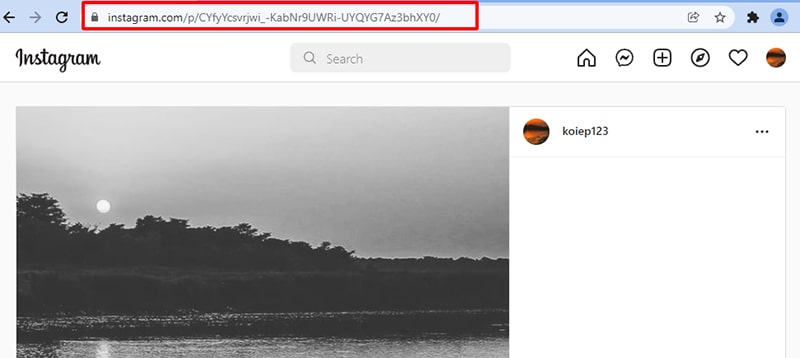
copy post link

Step 3: Paste the Instagram link into SaveIG
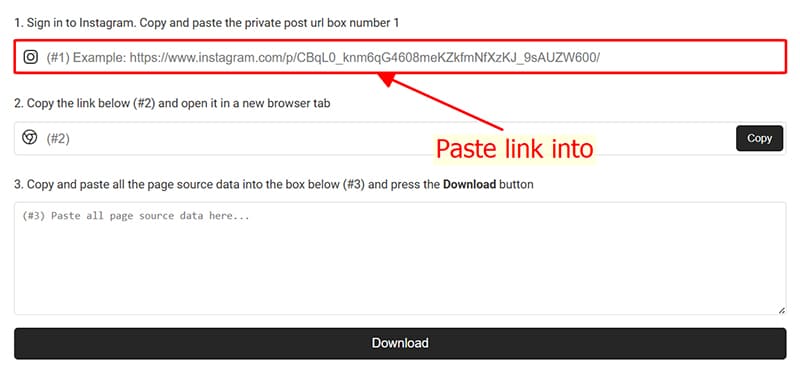
Visit the SaveIG.to website and go to the private Instagram downloader tool, or use this direct link: https://saveig.to/en/instagram-private-downloader

Paste the copied link into the first input box (#1).

Paste private video link into input box number 1

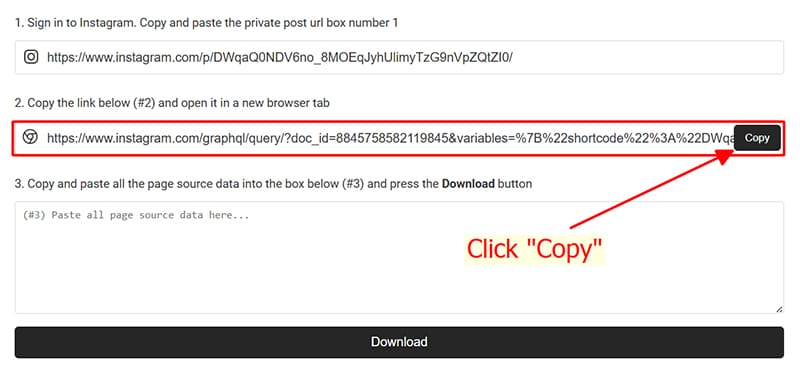
A special link will be generated in box #2 → Click Copy to get this link.

Copy link in box number 2

Open a new browser tab and visit the link you just copied from box #2.

Open the link in a new browser tab

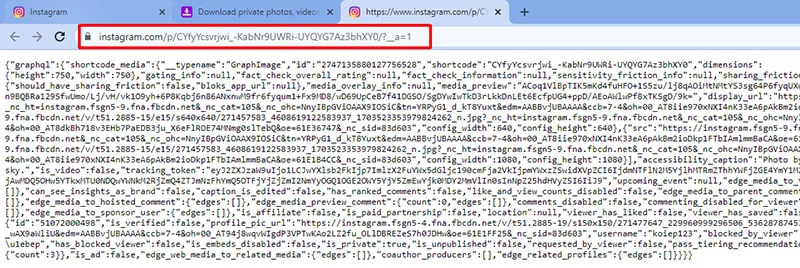
Step 4: Select and copy all the text on that page. Use Ctrl + A (Windows) or ⌘ + A (Mac) to select all, then right-click and choose Copy.
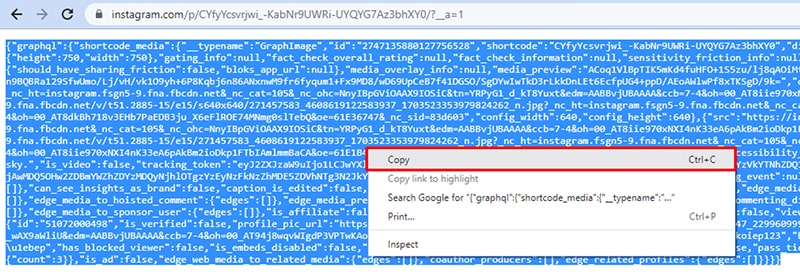
Highlight and copy the entire source code of the page

Step 5: Return to SaveIG, paste the source code into input box #3, and click the Download button.
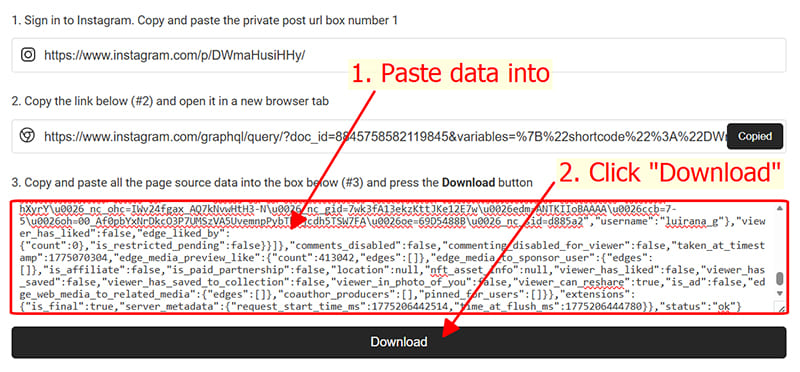
Paste the data into input box number 3

Step 6: All media from the private post will be displayed. Click the Download button on the specific file to save it to your device.
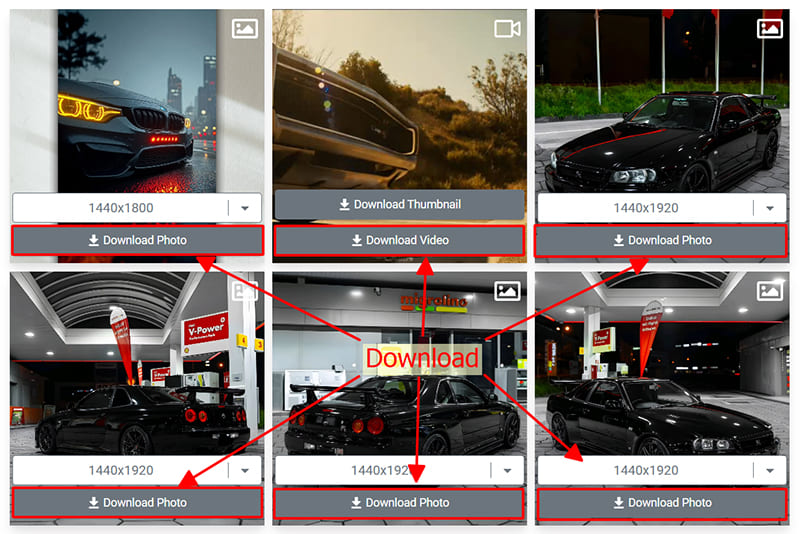
Choose a format and save the video to your device

SaveIG's private downloader supports all content types: Videos, Photos, Reels, and Stories. The download process is identical and seamless across all devices, including PC, iPhone, and Android.

FAQ

How does the private Instagram downloader work?

SaveIG uses a secure method by analyzing the page's source code. Since private posts are restricted by URL, analyzing the source code allows our system to identify the direct photo and video links and extract them for you to download easily.

Do I need to follow the private account to download its content?

Yes, you must be logged into Instagram and have permission to view that account's content to extract the source code. SaveIG does not support unauthorized access to private posts.

Is it safe to paste the page source into SaveIG?

Absolutely. SaveIG only reads the public photo and video links within the code to facilitate the download. We do not store your account credentials or any personal information from the source code.

Can I download Stories and Reels from private accounts?

Yes, SaveIG's private downloader is versatile. By using the source code analysis method, you can save any content type, including Stories, Reels, Photos, and Videos, as long as you can view them on Instagram.

Why should I use SaveIG instead of other tools?

SaveIG is optimized for speed and high-quality output without any software installation. We prioritize user privacy, don't limit the number of downloads, and provide a seamless experience on all devices.